Build the AI assistant you will actually use.

Three paths to the same assistant: your meetings, follow-ups, and daily brief, always under your review. Pick the one that fits how you work.

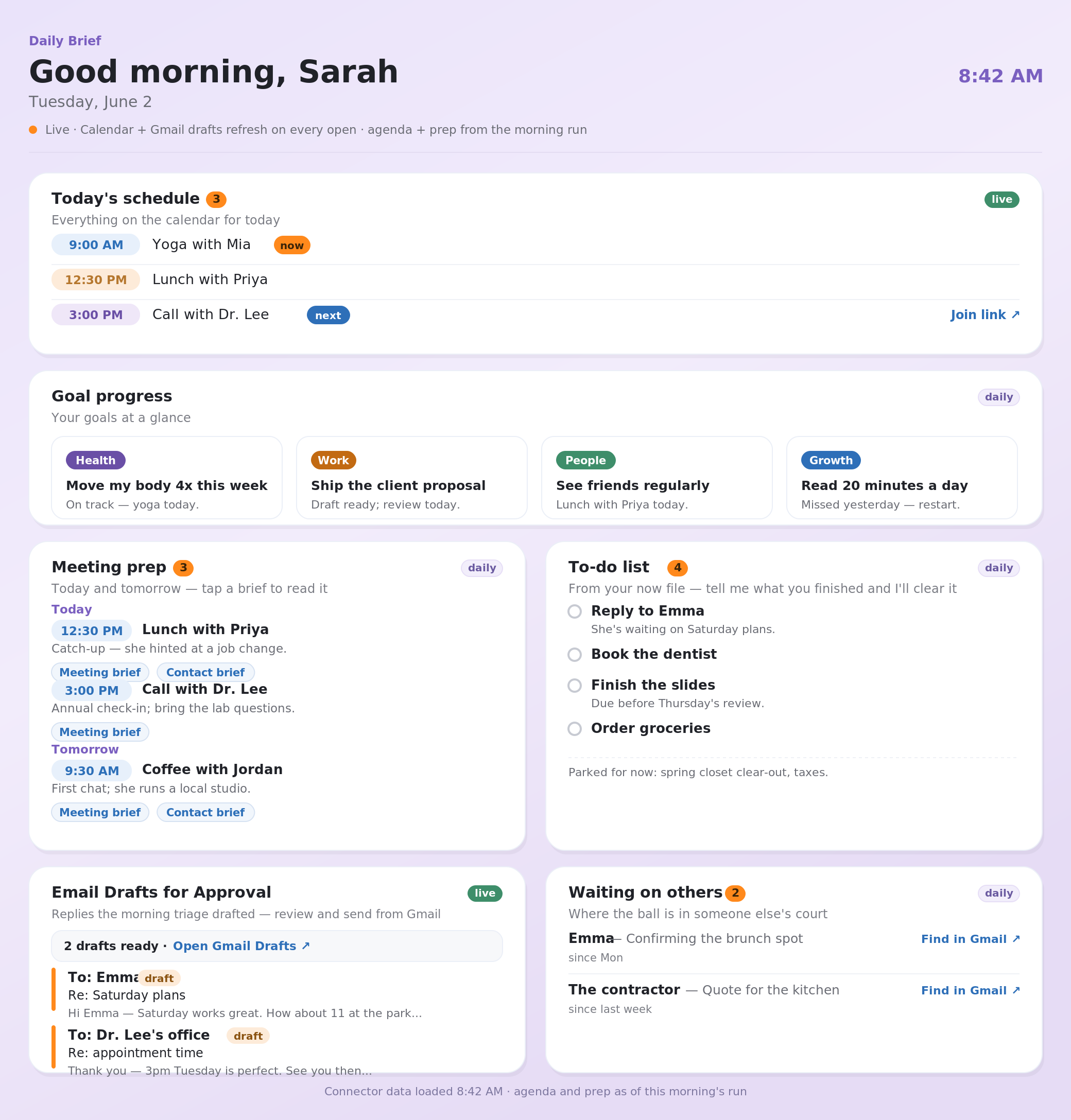
Example Daily Brief showing meetings, goals, to-dos, and waiting items.
The working surface: one Daily Brief for your day.

Choose the path that matches how you work.

Same assistant, three ways to get there. Most people should start with Cowork. Pick Claude Code if you are a builder who wants file-level control. Join the live class if you want help in the room while you set it up.

Claude Code DIY

Set up the file-based version if you want the assistant in plain local files you can inspect and are comfortable installing local tools and running a command or two.

  • Best for builders and technical operators
  • Uses a local resource pack
  • More control over files and skills
Open the Claude Code guide

Guided class

Join the waitlist for a small live cohort if you want a room, a sequence, and help when setup runs into real-world account or tool friction.

  • Best if you want help in the room
  • Two live sessions, 12 seats per cohort
  • Free to join the waitlist, and you walk out with it working
Join the waitlist

What all three paths build.

This is not a prompt collection. Each path is about getting a practical assistant running against the day-to-day work that usually stays in your head.

Daily BriefSchedule, priorities, waiting items, and drafts in one place.
Meeting PrepPeople, company context, open loops, and next questions before you walk in.
Email DraftsReplies drafted for review, never sent automatically.
Business MemoryNotes, decisions, goals, contacts, and follow-ups saved in plain files.

Not sure where to start?

Use Cowork first. It is the clearest public DIY path. Claude Code is there if you want file-level control, and the guided class is there when you want live help.