AI Personal Assistant Masterclass

1 / 28

AI Personal Assistant
Masterclass

📋 🌅 🤝 💬 ✉️ 📱

Jonathan Malkin · builtwithjon.com

👋

Meet Joe

We'll open his Cowork project and look at the Daily Brief.

Live demo
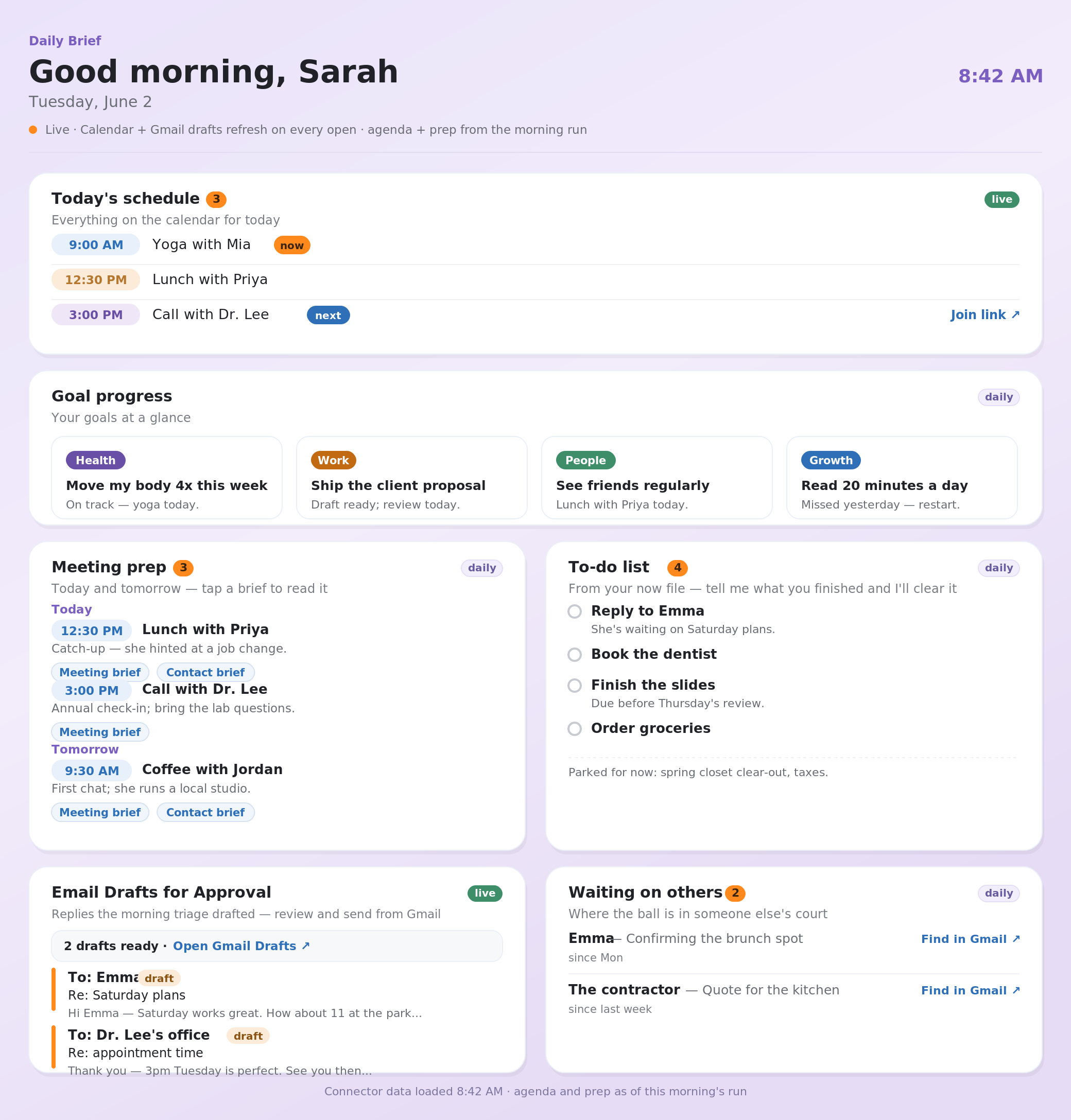
Daily Brief with schedule, goals, meeting prep, and email follow-ups

What you're building

🌅

Morning Brief

🤝

Meeting Prep

💬

Real-time Capture

✉️

Email that sounds like you

📱

Works from your phone

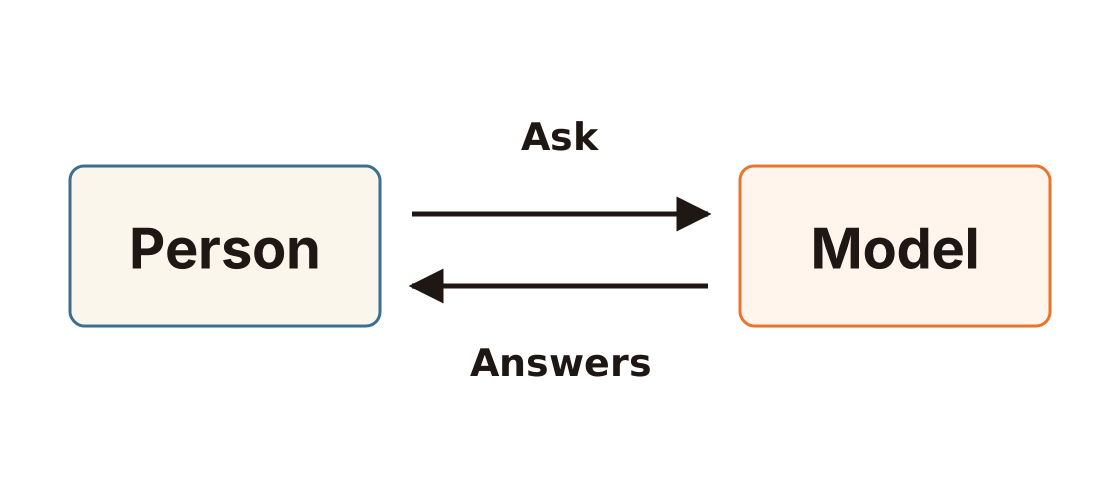
Chatbot

Chatbot diagram with Person asking Model and Model answering

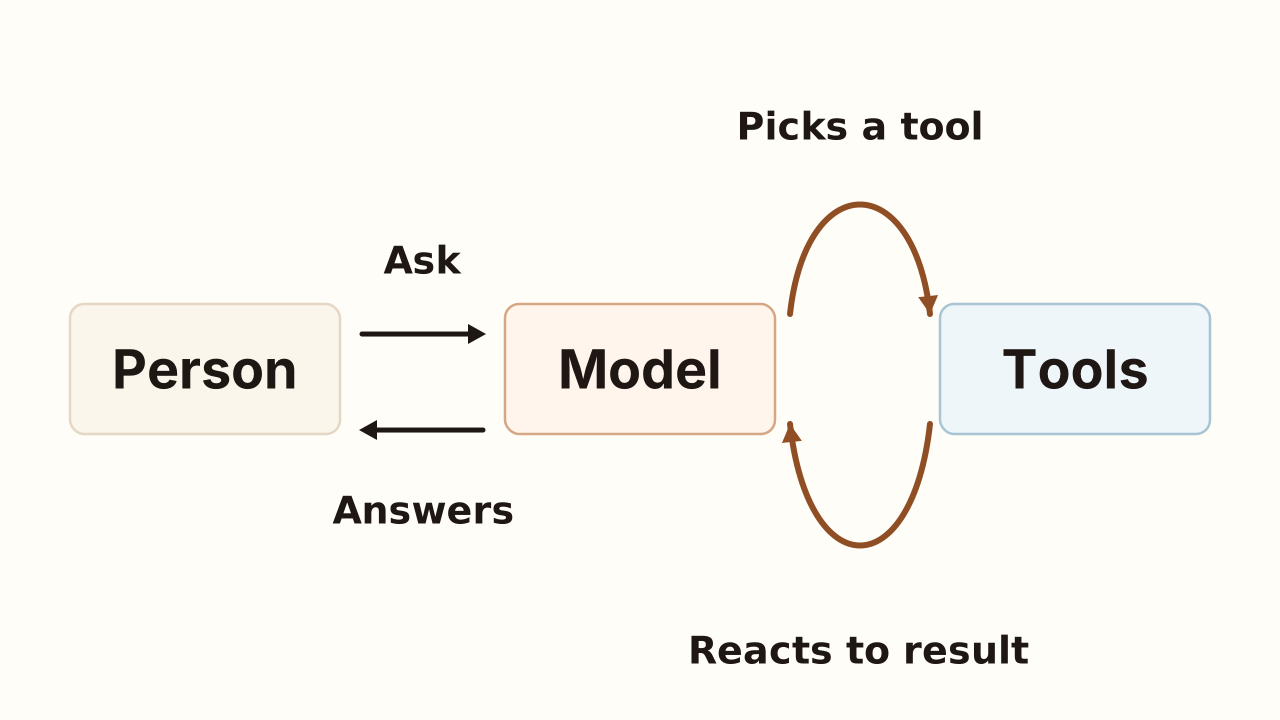
Conversational Agent

Conversational Agent diagram with Person, Model, and Tools

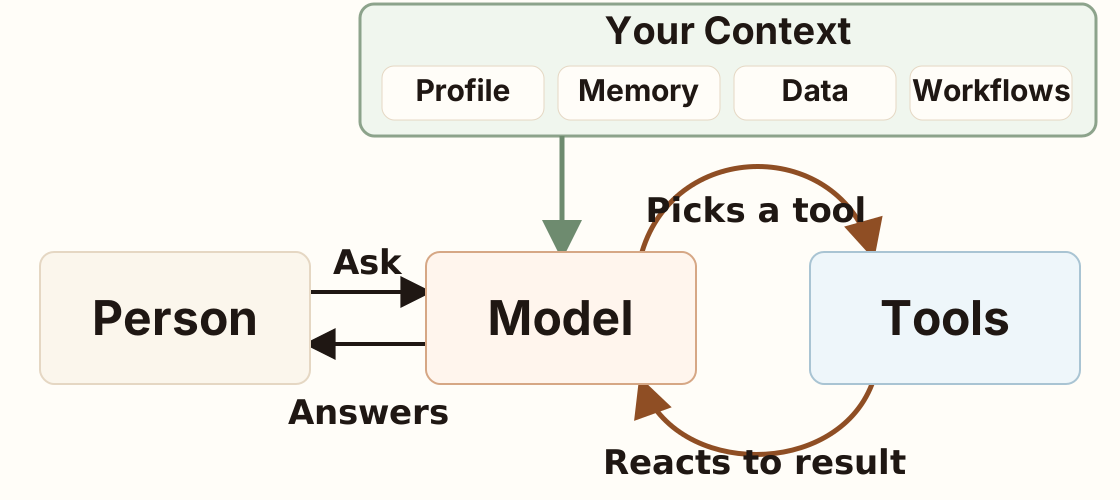
Personal Agent

Personal Agent diagram with Your Context feeding Model

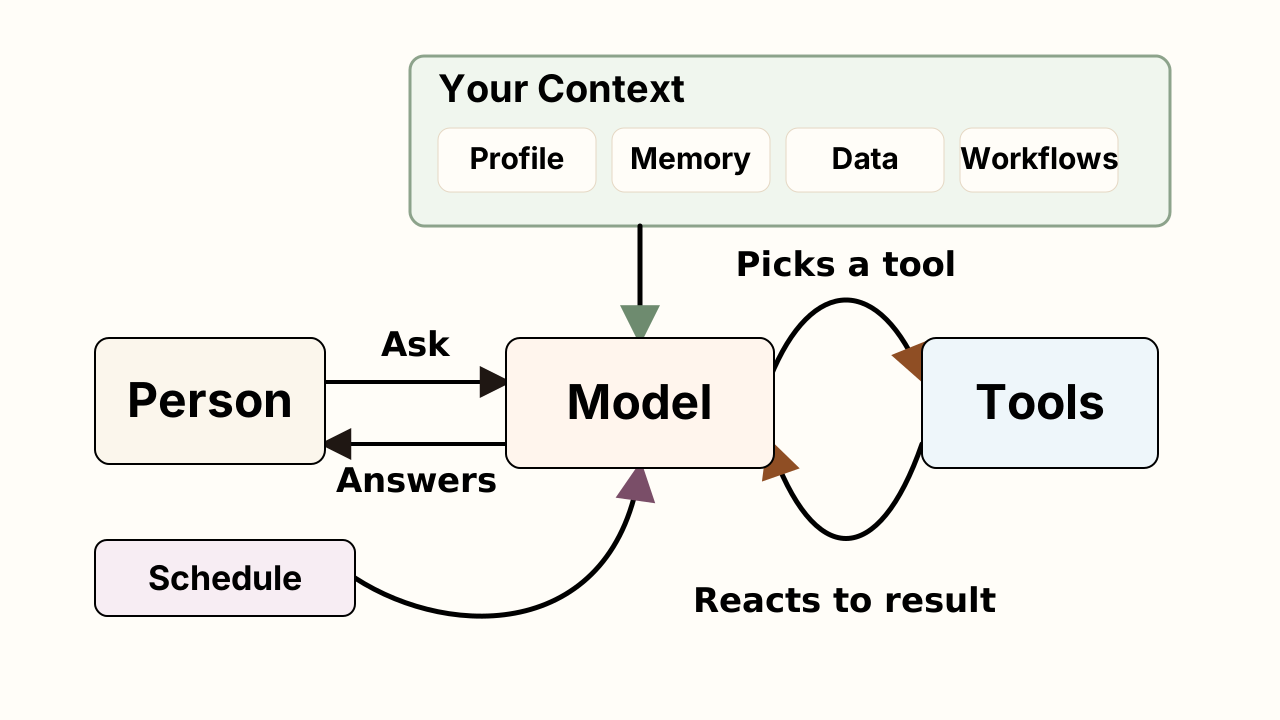
Autonomous Agent

Autonomous Agent diagram with context and schedule feeding Model

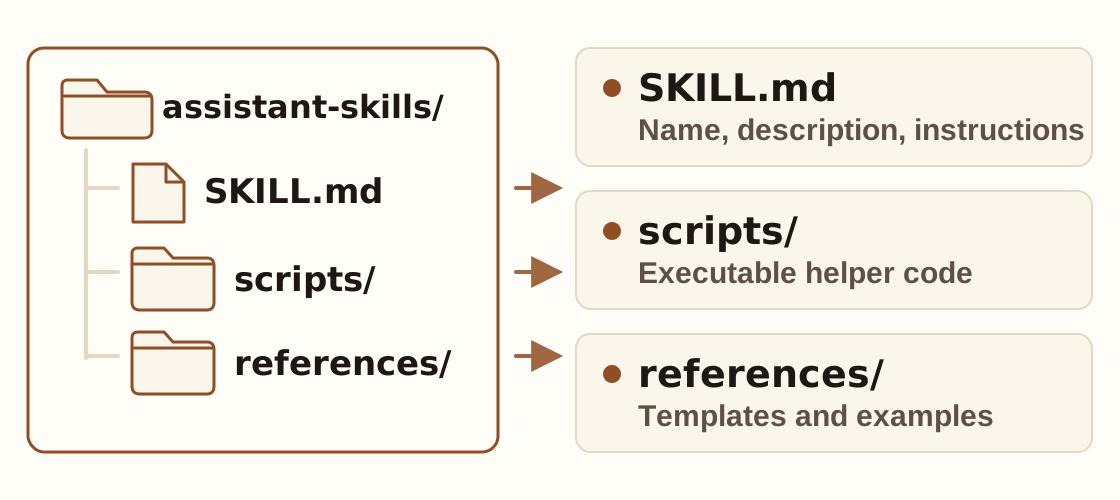
Skills

Skills diagram with assistant-skills folder and skill parts

CLAUDE.md & USER.md

📄CLAUDE.md

How the project works

  • Rules
  • Tone
  • Boundaries
  • Skills
👤USER.md

Who the assistant helps

  • Name and role
  • Goals
  • People
  • Agenda

One file teaches the work. One file teaches the person.

Permissions are a spectrum

✉️ Email
Read Draft You approve Send
📅 Calendar
Read Suggest You approve Change
🌐 Web
Search Summarize You approve Post

Setup · about 20 minutes

Six steps, then it's alive

The full guide mirrors what we do in the room. Follow along live, or catch up later.

BuiltWithJon.com/agent

1

Setup · Step 1 of 6

📁

Create your Cowork Project

Pick a folder, name your assistant, paste in the project instructions from the guide.

Watch the demo

2

Setup · Step 2 of 6

🧩

Install the assistant plugin

Customize › Personal Plugins › upload the zip. One file brings the setup skill and every workflow you'll use today.

Watch the demo

3

Setup · Step 3 of 6

🔌

Connect Gmail and Calendar

Same Google account for both. Optional: add the iMessage connector for a morning text on your phone.

Watch the demo

4

Setup · Step 4 of 6

🪄

Run the setup skill

It asks two or three questions, then writes your profile, finds your connectors, deploys your live Daily Brief, and schedules your mornings.

Run the setup skill

Watch the demo

5

Setup · Step 5 of 6

Authorize the morning schedule

Scheduled › Daily Brief Refresh › Run Now, then Allow for all future runs. That one click lets it work while you sleep.

Watch the demo

6

Setup · Step 6 of 6

☀️

Open your Daily Brief

Live Artifacts › Daily Brief. Your schedule, drafts, goals, and to-dos on one page that refreshes itself.

🎉 Checkpoint: you now have a working assistant.

Now use it

Real inbox. Real calendar. Real meetings. Real follow-ups.

Using your assistant · every morning

Your day, decided before coffee

  • 📅Today's meetings, prep attached
  • ✉️Threads that need you, drafts ready
  • 🎯Your first move and goal progress

Run my morning brief

Screenshot of a live Daily Brief artifact with schedule, goals, meeting prep, to-dos, and email drafts

Using your assistant · meetings

📅 Walk in already caught up

Who you're meeting, the history in your inbox, questions worth asking, the risks. Briefs get saved, so the second prep is faster.

Prep me for my 2pm with Jake

Screenshot of a meeting prep document with Walk In Knowing, People, and Likely Agenda sections

Using your assistant · email

✉️ It drafts. You send.

It sorts the last 48 hours into Reply Needed, FYI, Archive, Ignore and writes a Gmail draft for everything that needs you.

You review, edit, and hit send yourself. It never sends.

Triage my Gmail and draft replies

Screenshot of an email triage report with Reply Needed drafts and an FYI list

Using your assistant · ideas and decisions

💡 Say it once and it sticks

Decisions, follow-ups, and stray ideas land in your files, so tomorrow's brief already knows.

Meeting ran long. Push my follow-up with Dana to Thursday. We decided to drop the Q3 event. Log it. Remind me to call the accountant Friday morning.

📱

Dispatch from your phone

Open Dispatch in the Claude app. Same assistant, same context, away from your desk.

Use my assistant project and prep me for tomorrow

💬 Talk to it like a person

Concrete asks beat clever prompts. Say what you want. Correct what comes back.

What am I forgetting today? Draft a reply to Sarah. Keep it short and warm. That brief was too long. Five lines max from now on.

Using your assistant · leveling up

🔧 Teach it your repeatable work

🔨

Do it once

Any task you'll repeat.

🗣️

"Make that a skill"

It writes the skill for you.

🔁

Same way, every time

You teach it. You don't wait for an update.

Before you go

💪 The one-week challenge

☀️

Read your brief every weekday morning

✉️

Run one email triage

📅

Prep one real meeting

💡

Capture one decision or idea

By Friday it knows your world, and you'll feel the difference.

Want this for your business?

🎓

Team Workshops

🔧

Process Improvement

🤝

Fractional AI Operator

📅

Office Hours

Bring your assistant, your calendar, and one stuck workflow.